 رابط · مشغّل الشاشاتRabet · Screen Player
حوّل أي شاشة إلى شاشة رابط
بتطبيق واحد لأندرويد و TV Box
Turn any screen into a Rabet screen
one app for Android & TV boxes
يشتغل لحاله مع تشغيل الجهاز وبشاشة كاملة، يكمل عرض المحتوى بدون إنترنت، ويحدّث نفسه. يدعم أجهزة X88 PRO و H96 وأي جهاز أندرويد 7 أو أحدث.
Starts by itself when the box powers on, full screen, keeps playing without internet and updates itself. Works on X88 PRO, H96 and any Android 7+ device.
تحميل التطبيق (APK)Download the app (APK)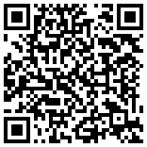
امسح الرمز من جوال أو تابلت أندرويد للتحميل مباشرة
Scan with an Android phone or tablet to download
rabet-download.sites.tab.bot/r.apkالتثبيت على TV Box (مثل X88 PRO و H96)
Install on a TV box (e.g. X88 PRO, H96)
اسمح بتثبيت التطبيقات من مصادر خارجية
Allow apps from unknown sources
الإعدادات ← الأمان (أو تفضيلات الجهاز ← الأمان والقيود) ← مصادر غير معروفة، وفعّلها للتطبيق اللي بتثبّت منه (Downloader أو مدير الملفات).
Settings → Security (or Device Preferences → Security & restrictions) → Unknown sources, and turn it on for the app you install from (Downloader or the file manager).
نزّل التطبيق — اختر طريقة
Get the app — pick one way
- تطبيق Downloader (من متجر الجهاز): افتحه واكتب
rabet-download.sites.tab.bot/r.apkثم اضغط Go، وبعد التحميل اختر Install. - فلاشة USB: حمّل الملف من هذي الصفحة على الكمبيوتر، انسخه للفلاشة، ركّبها في الجهاز وافتح الملف من مدير الملفات.
- جوال أو تابلت أندرويد: امسح رمز QR فوق.
- Downloader app (from the box's store): open it, type
rabet-download.sites.tab.bot/r.apk, press Go, then Install. - USB stick: download the file on a computer, copy it to a USB stick, plug it into the box and open it from the file manager.
- Android phone or tablet: scan the QR code above.
افتح رابط واربط الشاشة
Open Rabet and pair the screen
يظهر رمز ربط كبير (مثل 23C5F-3686F). من منصة رابط: الشاشات ← ربط شاشة، اكتب الرمز واختر الفرع. ما يحتاج كيبورد على الجهاز، والربط يبقى محفوظ بعد إعادة التشغيل.
A big pairing code appears (e.g. 23C5F-3686F). In the Rabet dashboard: Screens → Pair a screen, type the code and pick the branch. No keyboard needed on the box; pairing survives reboots.
اجعله تطبيق الشاشة الرئيسية (مستحسن)
Make it the home app (recommended)
اضغط زر Home في الريموت واختر رابط ثم دائماً. أو: الإعدادات ← التطبيقات ← التطبيقات الافتراضية ← تطبيق الشاشة الرئيسية. بكذا يرجع المشغّل دائماً بعد التشغيل وأي توقف.
Press Home on the remote and choose Rabet → Always. Or Settings → Apps → Default apps → Home app. The player then always comes back after boot or any stop.
فعّل التشغيل التلقائي
Allow auto-start
من قائمة رابط (زر Menu في الريموت، أو اضغط مطولاً على رجوع ثانيتين) اختر السماح بالتشغيل التلقائي وفعّل «العرض فوق التطبيقات». لو الجهاز ما فيه هذي الشاشة، من كمبيوتر متصل:
From the Rabet menu (Menu on the remote, or hold Back for 2 s) choose Allow auto-start and turn on "Display over other apps". If the box has no such screen, from a connected computer:
adb shell appops set com.rabet.player SYSTEM_ALERT_WINDOW allow
معلومات تهمّك
Good to know
- التحديثات: التطبيق يفحص كل 6 ساعات ويطلب تأكيد التثبيت مرة. على الأجهزة المُدارة (MDM) يتحدّث بدون تأكيد.
- Updates: the app checks every 6 hours and asks once to install. On managed (MDM) boxes it updates silently.
- قائمة رابط في الجهاز: إعادة تحميل، معلومات الجهاز (IP والمساحة والإصدار)، فحص التحديثات، إعادة الربط، اللغة.
- On-device Rabet menu: reload, device info (IP, storage, version), check for updates, re-pair, language.
- الشاشات العمودية مدعومة: دوّر الشاشة من إعدادات أندرويد والمحتوى يتكيّف.
- Portrait screens are supported: rotate the display in Android settings and content adapts.